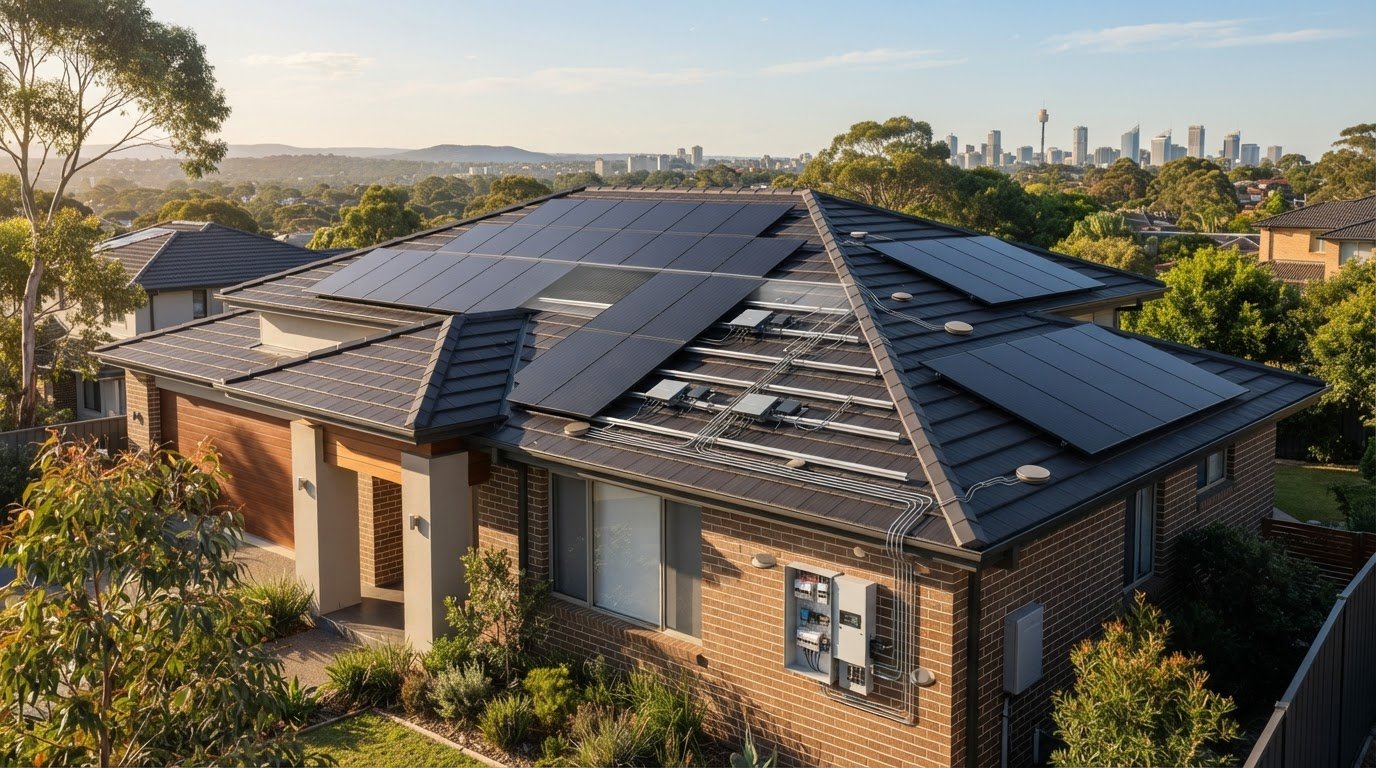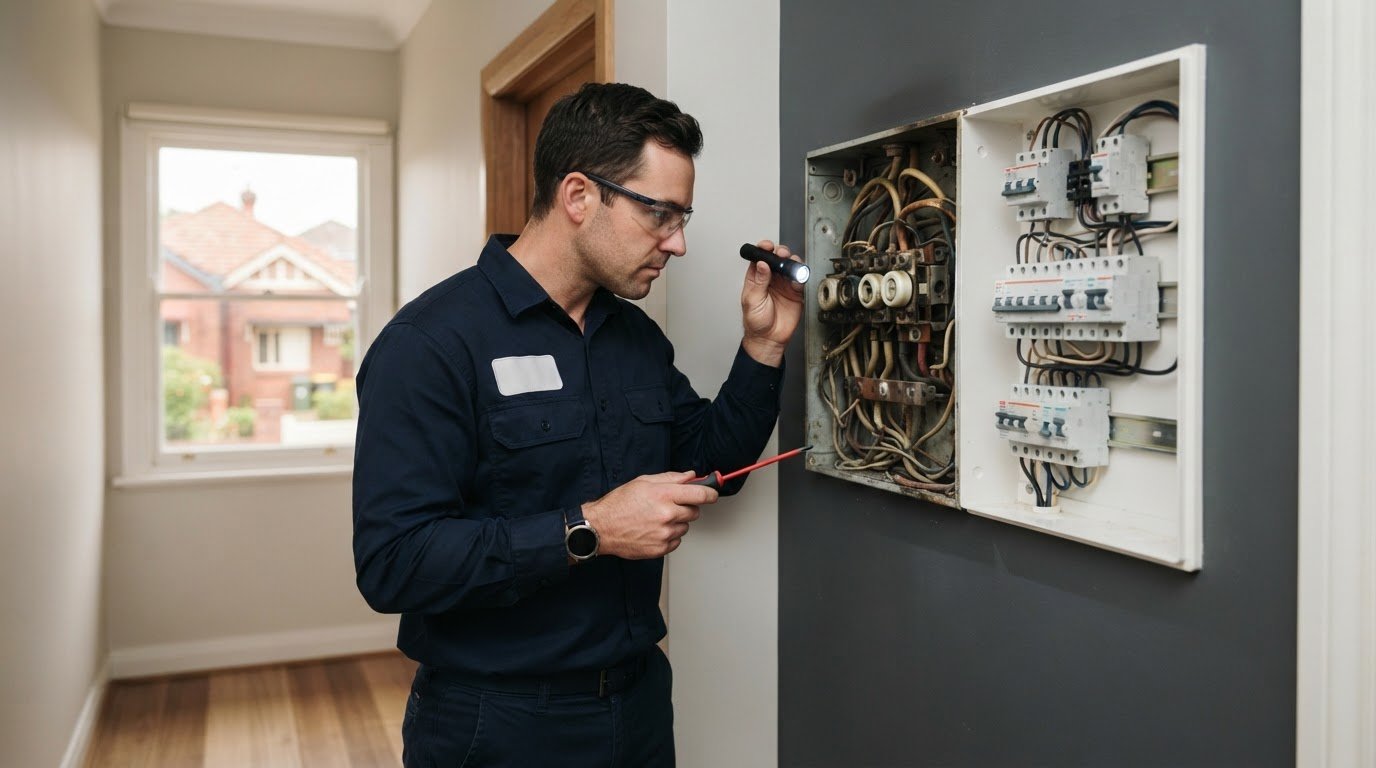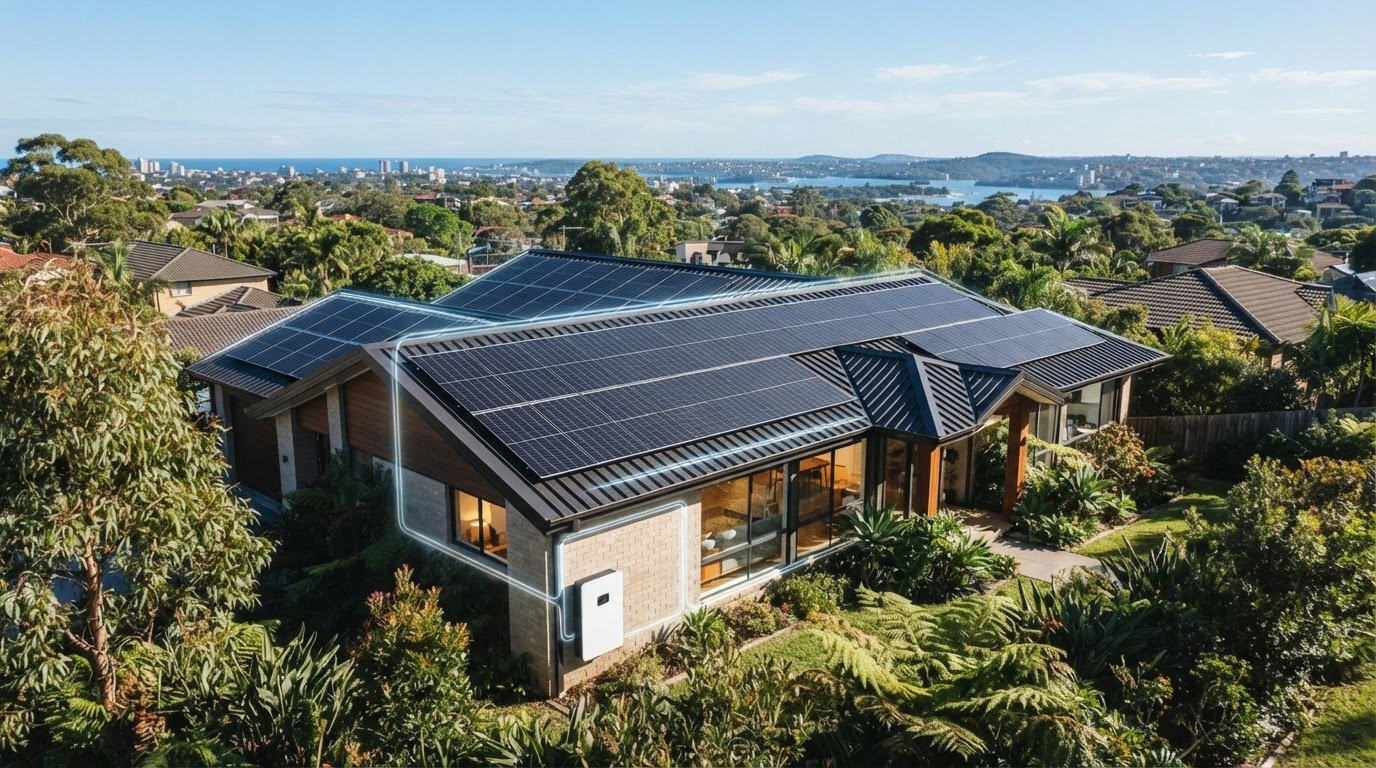


 Sydney
 0452 243 240
Blog
How to Check Why Your Solar Is Not Exporting to the Grid


A missing feed-in credit does not always mean your solar system has stopped working. If you’re wondering what to do when your solar system isn’t exporting to the grid, check current generation on your inverter or monitoring app, then compare it with your electricity bill. Your home uses solar power first, so electricity is exported only when generation exceeds household use.
In Sydney, rooftop solar operates through coastal salt mist and humid summer conditions. A low export reading may also reflect household demand, an export limit, a switch left off after electrical work or an inverter connection issue. Safe checks can help narrow down the cause.
This guide explains how to check whether export has stopped, review inverter and internet connections, inspect accessible switches, and distinguish a generation fault from a meter or feed-in credit issue. It also covers when to leave the system untouched and have a licensed electrician inspect it.
Key Takeaways
- Compare your inverter or monitoring app with your electricity bill to see whether the issue is generation, export or missing credits.
- Record inverter warning lights or error codes, and check the internet connection if your system relies on online monitoring.
- After electrical work, check that the solar system has been switched back on, but leave wiring and electrical repairs to a licensed electrician.
- Remember that your home uses solar electricity first, so high daytime energy use can leave little or no surplus to export.
- If generation is showing but export credits are missing, check the meter and feed-in tariff details with your electricity retailer.
Has your solar export stopped?
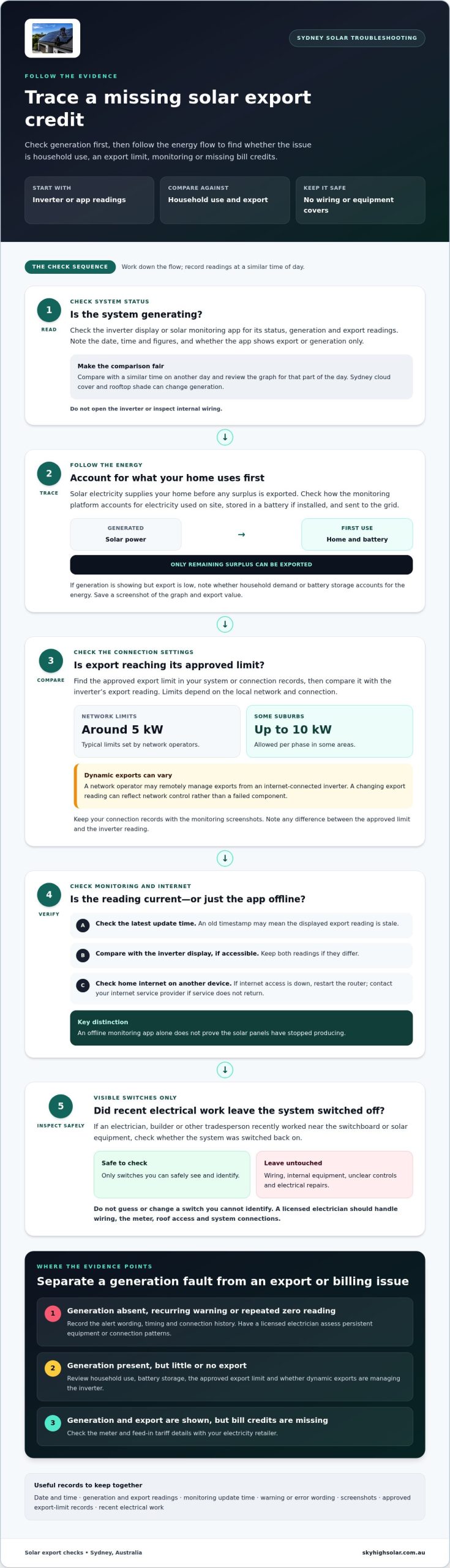
Compare your inverter’s solar generation with household consumption and its recorded grid export. Australian export limits vary by network connection: network operators typically set limits around 5 kW, while some suburbs allow up to 10 kilowatts per phase. Dynamic exports let a network operator remotely manage an internet-connected inverter’s exports.
-
Check inverter status and solar monitoring
Open your inverter display or solar monitoring app and check its status, generation and export readings. Compare the figures with a similar time on another day, accounting for Sydney’s changing cloud cover and any rooftop shade. Note whether the app shows export or only generation. Do not open the inverter or inspect internal wiring.
Record the date, time and readings together. One snapshot may miss changing household use or passing clouds, so review the monitoring graph for the same part of the day.
-
Track solar generation and lost energy
Review the generation graph during sunny periods, then check how the monitoring platform accounts for electricity used at home, stored in a battery if installed, or exported. This helps show whether energy is being used on site or held back from the grid. Compare readings from the same time, as different periods can make energy flows harder to interpret.
If the platform shows generation but little export, note whether the reading reaches an export ceiling. Save a screenshot of the graph and export value for the period you are reviewing.
-
Check inverter export limits and dynamic exports
Find the approved export limit in your connection or system records, then compare it with the inverter’s export reading. The applicable setting depends on the local network and connection; some suburbs allow up to 10 kilowatts per phase. Dynamic exports can change as the network remotely manages an internet-connected inverter, so an altered reading may reflect network control rather than a failed component.
Keep relevant connection records with your monitoring screenshots. If the inverter’s export ceiling does not match those records, note the difference to discuss with the network operator or installer.
Use monitoring records to describe what changed instead of relying on memory. In Sydney, comparing readings from similar sunny periods can help distinguish changing weather from a persistent shift in the system’s export pattern.
Troubleshooting inverter and internet connections
If your inverter shows zero grid export, first check whether it is generating and whether its monitoring connection is current. In Sydney, note the time of any warning or connection interruption so you can compare it with the system’s operating records.
- Check when the monitoring data last updated. Open the solar platform and look for its latest update time, not just the displayed export value. An old timestamp may mean the app is showing stale information. Compare it with the inverter’s own display, if accessible. If the records differ, keep both readings. An offline app alone does not prove the panels have stopped producing.
- Check the connection path one point at a time. Confirm your home internet works on another device, then see whether the solar platform reconnects. If internet access is down, restart the router and contact your internet service provider if service does not return. If other devices are online but the solar platform remains unavailable, give your solar installer this information so they can check the inverter manufacturer’s platform.
- Make connection details useful for diagnosis. Note whether the inverter appears online locally while its remote platform is offline. Record repeated interruptions and whether they coincide with changes to your home network. United Energy says internet-connected solar customers need an active connection so the network operator can communicate with the inverter and manage exports and generation. Keep these observations available when seeking support.
- Use the inverter manual before any restart. Restart through an isolator only if the manufacturer’s instructions say it is safe, and follow the stated sequence exactly. Do not improvise or repeat a restart if the alert returns. If the instructions are unclear, leave the controls untouched. A licensed electrician should handle wiring, the meter, roof access and electrical work involving system connections.
- Look for persistent equipment patterns. A recurring warning, repeated loss of communication or continued zero reading may point to a fault in the inverter or another component. Older panels and inverters can also lose efficiency over time. Note when the behaviour occurs and whether the inverter display changes. This gives a technician more useful information than an isolated app screenshot.
For a Sydney system, keep the inverter model, alert wording and connection history together. These details help a licensed electrician assess whether to focus on communications, equipment or internal connections.
Checking solar system switches
Check only switches you can safely see and identify. After electrical work, confirm the solar system has been switched back on. Do not open equipment or handle wiring.
- Review recent electrical work. Consider whether an electrician, builder or other tradesperson recently worked near the switchboard or solar equipment. The system may have been left switched off even if the inverter and panels appear undamaged. Check the work area and any notes left for you. If you cannot identify the solar controls, do not guess or change switch positions.
- Look at labelled switch positions. At the switchboard, visually check clearly labelled solar or inverter switches and note their positions. Compare them with labels or instructions supplied for your system. Labels and layouts vary, so do not assume one position applies to every home. If a label is unclear or the switchboard appears damaged, stop and arrange a licensed electrician’s inspection.
- Check the inverter display after the visual inspection. See whether the inverter appears to be operating and whether its display or monitoring app reports generation. If the system is generating but export remains absent, the switch check has not identified the cause. Record the display status and time. Do not remove an inverter cover, touch internal connections or reset an unfamiliar control.
- Keep battery and appliance use in mind. A battery may store available solar electricity, while household appliances use solar power as it is produced. These flows affect how much surplus reaches the grid, even when the inverter appears to be running. Check monitoring information alongside switch positions. A zero export reading alone does not show that a switch is off or that generation has stopped.
- Leave uncertain or unsafe controls alone. Do not operate switches if you cannot identify their purpose, or if equipment looks damaged, wet or unusually hot. Do not touch meter components, wiring or rooftop equipment. If a solar switch appears off after electrical work, have a licensed electrician assess it and restore operation safely. Share your observations, including switch labels and inverter status.
After checking the switches, compare the inverter status with its monitoring data. If the system remains offline or export does not return, keep your notes for the next troubleshooting step instead of repeatedly changing switches.
Distinguishing generation, export and feed-in credit problems
Use inverter readings and your electricity bill to identify where the solar energy flow changes. In an Australian home, generation, grid export and retailer credits are separate records.
-
Understand how solar generation is used and exported
Compare the inverter’s generation reading with household consumption and grid export. Solar power supplies appliances first; only surplus electricity can flow back to the grid. If generation continues while export falls, daytime consumption may have increased, or an export limit may be affecting the surplus. Compare readings taken at the same time, since household use changes throughout the day.
-
Compare expected and actual generation
Review your system’s monitoring history and compare similar days, accounting for weather and rooftop shade. Cloud cover or new shade from trees or nearby buildings can reduce generation, leaving less electricity to export. If the inverter shows zero generation on a sunny day, investigate a generation problem rather than assuming export alone is at fault. Record the date, conditions and readings.
-
Separate export issues from feed-in credit issues
Check the inverter’s export data first, then compare it with the retailer’s bill. If the inverter records exports but the bill shows no feed-in credits, the issue may involve metering, tariff settings or billing records. If the inverter records no generation, focus on system operation. If generation appears normal but export is absent, consider household consumption, an export limit or a network issue.
- Check what may have changed. Compare current consumption with the period when exports were normal. A new appliance, a changed work-from-home routine or daytime battery charging may use more solar electricity on site. That leaves less surplus to export without necessarily indicating a fault. Use monitoring records to see whether higher household use coincides with lower export readings.
- Identify network-side issues. In Australia, the electricity network owns the poles and wires and handles technical matters such as export limits, zero-export arrangements and grid-voltage rise. Rising grid voltage can prompt a solar system to reduce or stop exporting as a protective response. If readings suggest a network constraint, keep inverter data and dates available when reporting it through the appropriate network or retailer channel.
These comparisons help distinguish a generation shortfall from an export restriction or missing credit. The pattern across inverter readings, household consumption and retailer bills points to the next check.
Feed-in tariffs and meter configuration
Check your inverter’s export records, meter readings and retailer bill separately. To review export limits and settings, compare your connection records with inverter data, then raise technical export questions with your electricity network operator.
- Confirm what the meter records. Review your meter display or electricity account for both grid consumption and exported electricity. A bi-directional smart meter records electricity flowing in both directions. If your inverter records exports but the meter shows none, the issue may involve meter configuration rather than solar generation. Do not open the meter or attempt electrical work yourself.
- Check whether your feed-in tariff is active. Look for a feed-in tariff line on your retailer’s bill and compare its billing period with your inverter’s export history. Rates can vary by retailer and time of day, so check the plan details that apply to your account.
- Separate missing credits from missing exports. If the inverter logs exported electricity but your retailer bill has no corresponding credit, contact the retailer about billing and tariff records. If the meter is not recording exports, the retailer can arrange reconfiguration through the network. Provide the bill period and matching inverter readings to help pinpoint the discrepancy.
- Review the approved export settings. Compare your system’s export readings with the limit recorded in your connection or installation documents. The electricity network owns the poles and wires and manages technical matters such as export limits and zero-export arrangements. Ask the network operator about a suspected limit or setting, and direct tariff and bill-credit questions to your retailer.
- Check how your plan applies credits. Feed-in tariff rates can vary by retailer, state and time of day. Some plans offer different rates at different times, so a lower credit may reflect the tariff terms rather than a meter fault. Compare the plan’s stated rate and billing period with recorded exports before concluding that credits have stopped.
- Use excess solar electricity on site where practical. Solar power used directly at home can provide better savings than exporting it. Shift flexible loads, such as running a pool pump or dishwasher during solar hours, and see whether this changes the export reading. This reduces exported surplus, but does not explain missing retailer credits for electricity the meter has already recorded as exported.
Keep copies of bills and export readings when discussing a discrepancy. An installer can assess inverter and system data. Your retailer handles feed-in tariff credits, while meter reconfiguration is arranged through the network.
Sky High Solar and Electrical: 6.6kw Solar Panel Installation
Sky High Solar and Electrical installs 6.6kw and 10kw solar panel systems for homes and businesses. If your checks point to a system fault, have a licensed professional assess the existing equipment before deciding whether replacement or a new installation is appropriate.
For a new setup, the right system depends on your property, electricity use and energy goals. Available options include 6.6kw Solar Panel Installation, 10kw Solar Panel Installation, FOX ESS CQ7 High Voltage Storage Battery and SigenStor Integrated Solar Inverter & EV DC Charger. A battery can be considered where storing excess daytime solar for later use suits your needs.
Share your monitoring readings and the checks you’ve completed when discussing your next step. Contact Sky High Solar and Electrical to talk about your solar installation needs.
Take the next step towards reliable solar performance
Treat stalled export as a prompt to make an informed decision, not an automatic reason to replace equipment. If you’re working out what to do when your solar system isn’t exporting to the grid, preserve the monitoring history before any repair or adjustment. These records can help distinguish a one-off interruption from a lasting change.
Once the cause is clear, decide whether the next step is correcting a connection, addressing a metering issue or assessing the system’s longer-term suitability. Do not change unfamiliar electrical settings yourself. A clear diagnosis supports safer, more considered decisions about household energy use.
For help with your solar needs, contact Sky High Solar and Electrical. A practical next step can put you back on track towards making the most of the solar energy your home produces.
Frequently Asked Questions
Generating fine, but nothing’s going to the grid?
Your solar may be meeting the home’s current demand, leaving no surplus for export. For example, if the oven, air conditioner and pool pump are running together, compare their use with the inverter’s generation and export readings. A battery may also store excess energy. Check readings during a sunny period with fewer appliances running to see whether export resumes.
Installer, retailer or network, who fixes what?
The right contact depends on where the readings stop matching. Ask your installer to investigate inverter faults, system performance or equipment servicing. Contact your retailer about feed-in tariff rates, bill credits and billing records. The electricity network manages technical matters such as export limits and grid voltage, and may be involved when a meter needs reconfiguration through the retailer. Share relevant dates and readings with the organisation handling the issue.
Is the system actually generating anything?
Check the inverter display or monitoring platform during daylight for a current generation reading. Zero generation on a sunny day points to a generation problem, not a feed-in credit issue. Compare the live reading with a recent sunny-day record, allowing for clouds or shade. If the display and app disagree, note both results rather than treating either as conclusive.
So, what should you actually do?
If you’re deciding what to do when your solar system isn’t exporting to the grid, start by recording generation, export and household consumption at the same time. Then check whether the inverter is online and whether recent electrical work left the system switched off. Compare inverter export records with your retailer bill. This sequence helps you describe the issue clearly and direct it to the installer, retailer or network.
What can you safely check yourself?
You can review the monitoring app, read visible inverter messages and inspect clearly labelled switch positions without opening equipment. Check whether home internet works on another device and note any recent electrical work. Restart an inverter through its isolator only if the manual says it is safe. Leave wiring, meter components, rooftop panels and repairs to a licensed electrician.
Why is my solar system not exporting electricity to the grid?
Common causes include household consumption using all available solar generation, an export limit, an offline internet connection or a fault affecting the inverter or another component. Grid voltage can also prompt a system to reduce or stop exporting as a protective response. If generation continues but export disappears, compare consumption and export readings before concluding that the panels have stopped working.
How to check whether a solar inverter is exporting power in Australia?
Open the inverter display or monitoring app and look for separate generation and grid-export readings. Check them while the home is producing solar power, then compare them with household consumption. If generation is visible but export is zero, the home may be using or storing the energy, or an export constraint may apply. The electricity bill provides a separate record of credited exports.
Does a smart meter or electricity retailer affect solar feed-in exports in Australia?
Yes. Meter configuration affects whether exported electricity is recorded, while the retailer applies feed-in tariff credits to your bill. If the inverter shows exports but the bill does not, ask the retailer to review the account and meter records. If the meter is not recording exports, the retailer can arrange reconfiguration through the electricity network. A tariff or billing issue is different from a physical inverter export fault.